The Ultimate Google Ads Character Limit Guide (Updated for 2023)
As a paid search marketer, it's important to stay within Google's character count for your ad copy. That's why we've created this comprehensive guide on Google
PPC Ad Editor Team
Google Ads Character Count Guide
Free Tool: Google Ads Character Limit Checker
Validate your RSA headlines, descriptions, sitelinks, callouts, and structured snippets against official Google Ads character limits in real-time. See a live preview as you type!
In the dynamic world of online advertising, mastering Google Search Ads, which may include video ads, is a must. A well-crafted Google Ads copy, such as the sem headline, can make the difference between a click that converts and a missed opportunity. However, creating the perfect ad copy is not just about writing compelling content; it’s also about adhering to the Google Ads specifications, especially the character length. This attention to detail is crucial, just as it is when considering character limits in other platforms, such as Facebook ad character limit and facebook ad word count.
To truly excel in the realm of online advertising, you should explore Google search ads examples and understand how to create effective video content, whether for YouTube videos on your YouTube channel, or for a video ad that can engage and convert your audience. Crafting impactful content that fits within the platform’s requirements is essential for success in online advertising.
One of the critical components of Google Ads is Responsive Display Ads. These ads automatically adjust their size, appearance, and format to fit available ad spaces. However, responsive display ads also come with their own specific character length restrictions. Google has set character limits to ensure a uniform experience across different devices and screen sizes. Understanding responsive display ads specs will help you create engaging and compliant ads that appeal to your target audience. For an effective advertising strategy, combining Google AdWords ad creation with optimization based on Google Ads keywords and Google Display Network ad specs is essential. This integration allows you to utilize both digital and analog signals, optimizing your analog input to produce a highly engaging and targeted ad for your audience.
But, how do you keep track of character length across different ad formats? This is where a character checker comes in handy. A character checker is a tool that helps you ensure your ad copy complies with the Google Ads character limit. This tool is beneficial as you can avoid lengthy revision processes or rejection of your ad copy by Google for exceeding the character limit.
The Google Ads character length requirements differ for each ad format. For instance, for responsive display ads, the short headline can be up to 30 characters, the long headline can be up to 90 characters, and the description can be up to 90 characters. For Google Search Ads, the character limits are a bit different. A typical search ad has three headlines of up to 30 characters each, two descriptions of up to 90 characters, and the display URL, which includes two optional “Path” fields of up to 15 characters each.
Creating the right Google ad copy is a balance between conveying your message effectively and adhering to the character length requirements. A good practice is to write concise, compelling ad copy while checking character lengths continuously using the character checker. By doing so, you can ensure that your message gets across without breaching any Google Ads rules.
Understanding the specifics of responsive display ads specs, character length, and the use of a character checker are essential aspects of creating effective Google Ads copy. By mastering these, you can optimize your Google Search Ads and potentially improve your overall ad performance. Remember, the secret to a successful ad campaign is creating compelling ad copy while staying within the rules set by the ad platform.
Search Ads
Google Ads Expanded Text Ads Character Count

- Headline (up to 3) – 30 Characters
- Description (up to 2)- 90 Characters
- Display URL Path (up to 2) – 15 characters
Google Ads Responsive Search Ads Character Count
- Headline (up to 15) – 30 Characters
- Description (up to 4) – 90 Characters
- Display URL Path (up to 2) – 15 Characters
Google Call Only Ad Character Count
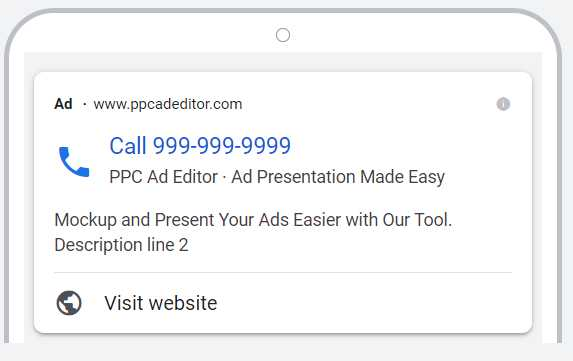
- Display URL Path – 15 Characters
- Headline (Up to 2) – 30 Characters
- Business Name – 25 Characters
- Description (up to 2) – 90 Characters
Ad Extensions
Ad extensions are additional pieces of information that you can add to your ad to provide searchers with more context about your business. They can be in the form of site links, callouts, structured snippets, call buttons, or location. Ad extensions are not counted as part of your character count but we still recommend using them to improve
Sitelink Ad Extension Character Count
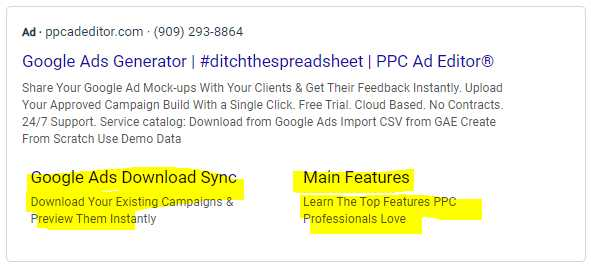
- Headline – 30 Characters
- Description – 25 Characters
Callout Ad Extension Character Count
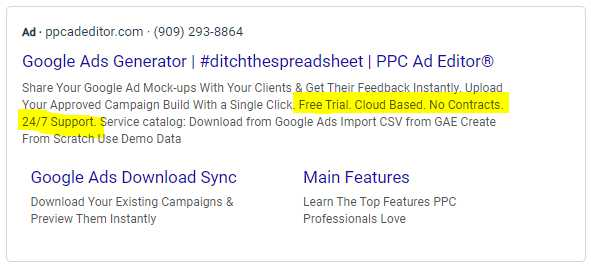
- Call out – 25 Characters
Structured Snippet Values Character Count
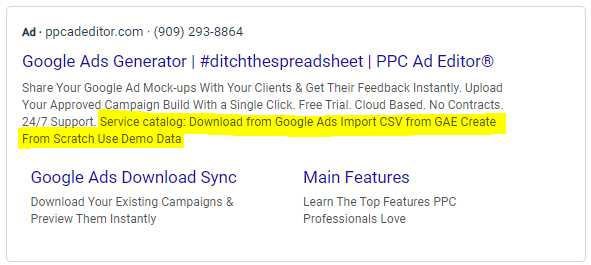
- Values – 25 Characters
YouTube Ads
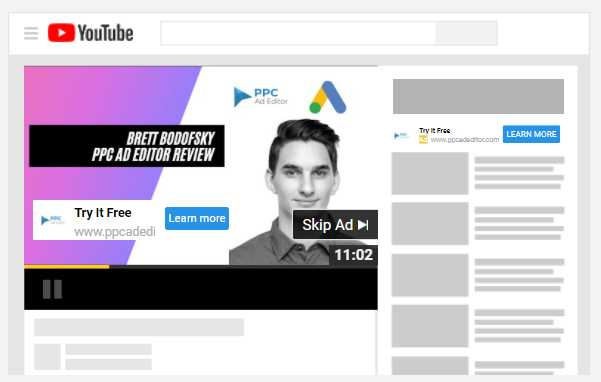
- Display URL Path – 15 Characters
- Call to Action – 10 Characters
- Headline – 15 Characters
- Long Headline – 90 Characters
- Description – 70 Characters
Display Ads
Google Ads Responsive Display Ad Character Count
Upload your assets (images, headlines, logos, videos, and descriptions) with responsive display ads and Google will automatically generate ad combinations for websites, apps, YouTube, and Gmail. Responsive display advertisements may be used in Display campaigns.
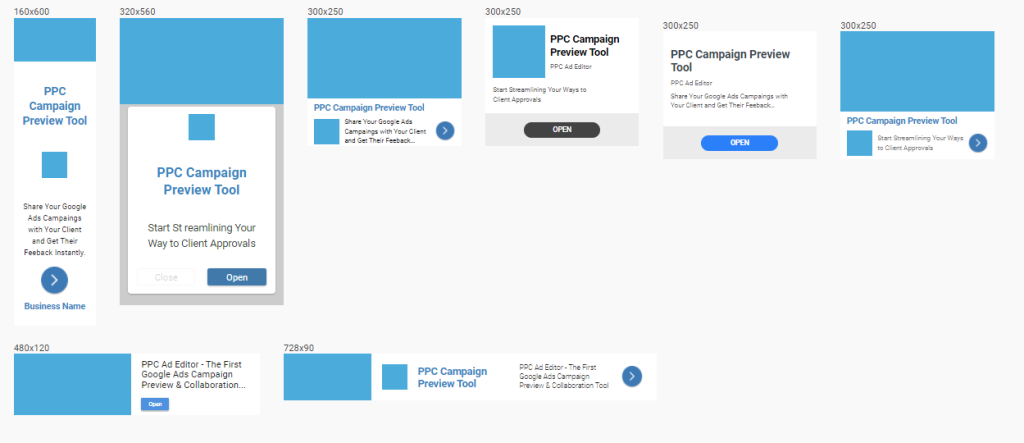
- Business Name – 25 Characters
- Headline – 30 Characters
- Long Headline – 90 Characters
- Description – 90 Characters
Performance Max Ads
The new Performance Max goal-based campaign is a completely fresh take on Google Ads that allows performance advertisers to use all of their Google Ads inventory from a single campaign. It’s intended to work in tandem with your keyword-based Search marketing efforts to help you reach more converting consumers across all of Google’s platforms, including YouTube, Display, Search, Discover, Gmail, and Maps. Performance Max helps you optimize performance in real-time and across channels to achieve more conversions and value by taking into account your specified conversion goals. Performance Max uses Smart Bidding to evaluate campaign performance in real-time and across channels, optimizing performance at the same time as it includes Google’s automation technologies such as bidding, budget optimization, audiences, creatives, attribution, and more.
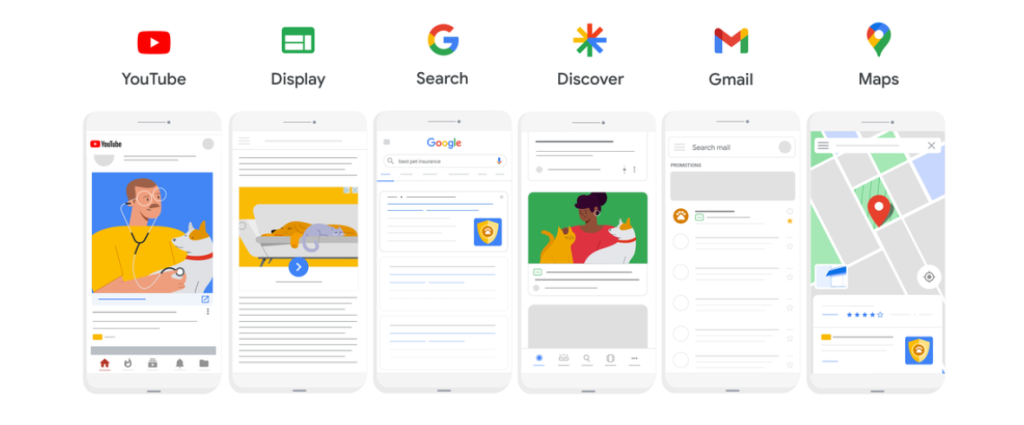
- Headline (up to 5) – 40 Characters
- Descriptions (up to 5) – 90 Characters
- Business Name – 25 Characters
Discovery Ads
The Google Discovery ads that you see on the YouTube app, the Google app, and the Gmail app are visually appealing, customized advertisements that appear in Google’s feeds. They’re designed to appeal to people at just the right moment when they’re ready to learn about new things and services.
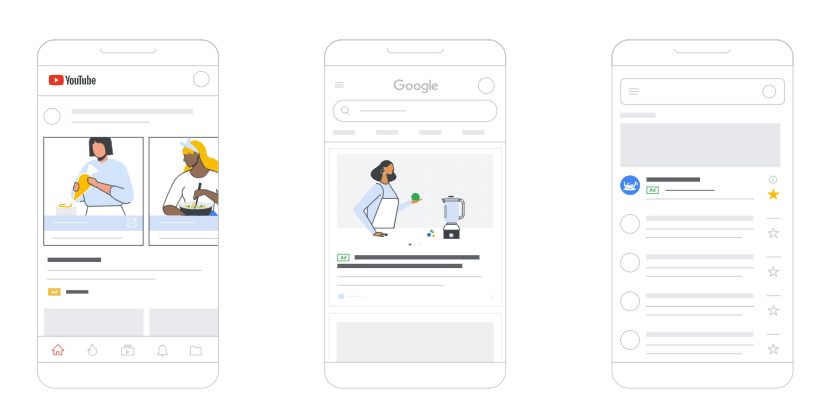
- Headline (up to 5) – 40 Characters
- Descriptions (up to 5) – 90 Characters
- Business Name – 25 Characters
In conclusion, the new Google Ads character count tool is a great way to make sure your ad copy fits within the guidelines for all of Google’s advertising platforms, including Google AdWords ads. Staying within the prescribed character length is essential to ensure that your ads meet Google Ads policies and are eligible to run in your Google Ads campaign and ad groups. Furthermore, understanding ad rank and optimizing your ad content while complying with Google AdWords rules is key to achieving success in your advertising efforts. Additionally, using the Google AdWords checker can help you identify and address issues with your ads before they go live. Remember to keep an eye on low search volume keywords, as they can impact the performance of your Google Ads account. Utilizing this tool will help you create ads that are both effective and compliant with Google Ads word count and character limits. Consider ad’s messaging and headline and description text to craft a successful Google text ad. Additionally, stay informed about all ads limited by policy to ensure compliance. Utilize “sitelinks,” “90” total search keywords on display network, and approved limited Google ads to enhance your ad group’s performance and optimize landing pages for better search engine optimization in the search results.