One asset set. Every
display size, previewed.
Upload your images, headlines and logo once — PPC Ad Editor renders every Responsive Display Ad size the way Google serves it. Share for approval, then export to Google Ads Editor.



Realistic previews for every channel you run
See every size before launch
Medium rectangle, leaderboard, half-page, mobile — all rendered from your single asset set, so nothing looks broken in the wild.
Catch bad crops & truncation
Spot awkward image crops and cut-off headlines across placements before the network serves them to real users.
Export to Google Ads Editor
Approved? Export the RDA straight to Google Ads Editor — the asset set ships exactly as signed off.
Every placement from one build
Add images, headlines, descriptions and a logo once. We assemble and preview them across every Responsive Display size and placement automatically.
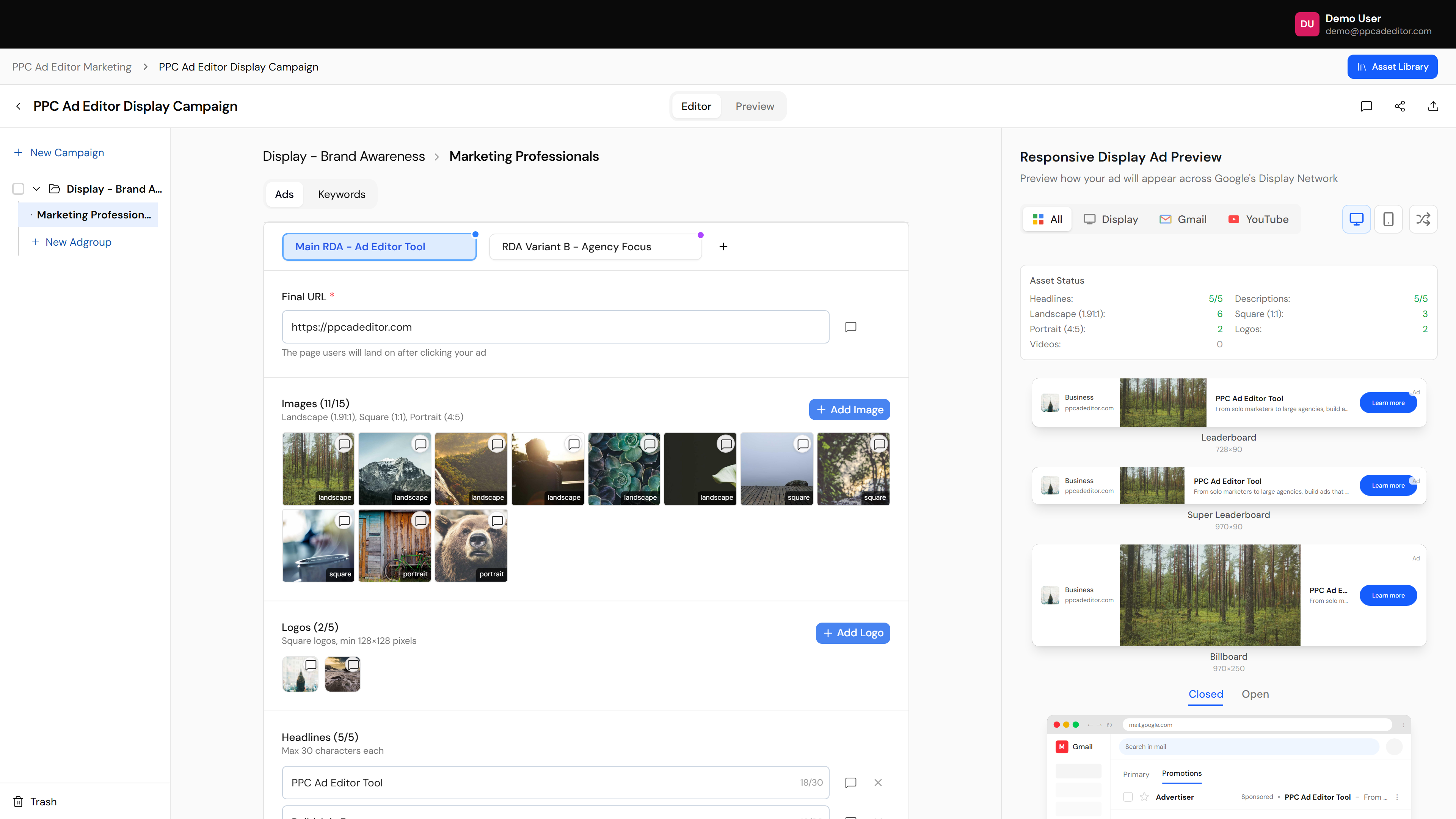
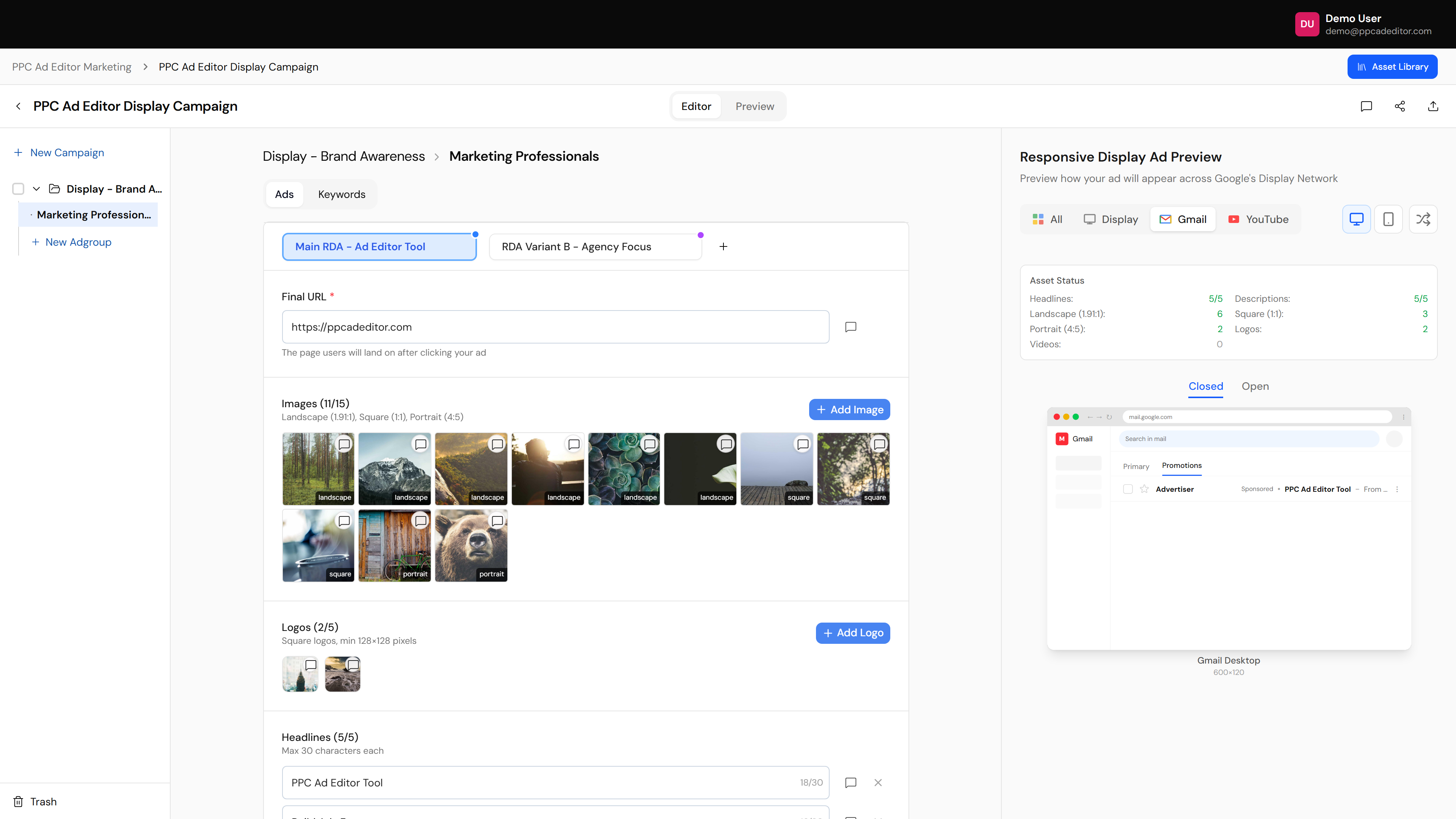
Including Gmail and Discover
See how your display ad renders in the Gmail promotions tab and the Discover feed — not just standard banners.
Six stages from kickoff to a launched, client-approved campaign
This is the workflow the whole product is built around. Teams that run all six stages get sign-off in days instead of weeks — with a client who watched it happen.
Brand setup
Add your client’s business name, logo and real URL. Every preview downstream looks like their actual ad — not a demo.
Logo · Display URL · Brand colors
Build the real campaign
Real structure: campaign → ad group → ads. Import a CSV, paste keywords or sync from Google Ads — or draft from scratch with AI.
CSV import · Keyword paste · Google Ads sync · AI drafts
Make it client-ready
Add images, sitelinks, callouts and keywords per format. Optional polish — never a gate between you and sending.
Extensions · Images · Keywords
Send to client
One share link with commenting on by default. No client logins. You’re notified the moment they open it.
Share link · Comment access · Notify on view
Client feedback
Comments and edits land on the ad itself — time-stamped on the exact version. No email threads to chase.
Inline comments · Tracked changes · Versions
Approve & launch
Sign-off is recorded, then one click exports exactly what was approved to Google Ads Editor. Launch the same day.
Approval record · One-click export
More ad formats to mock up
Preview your display ads — every size.
Build a full Responsive Display preview, get sign-off in one link, and export to Google Ads Editor ready to launch.
Unlimited sample exploration · Free proof pack · Studio from $149/mo